
Navigate to 'Properties' using the left hand navigation and select the property you with to edit in the property list. Once in the desired property record, select the 'Map' tab in the folder navigation.
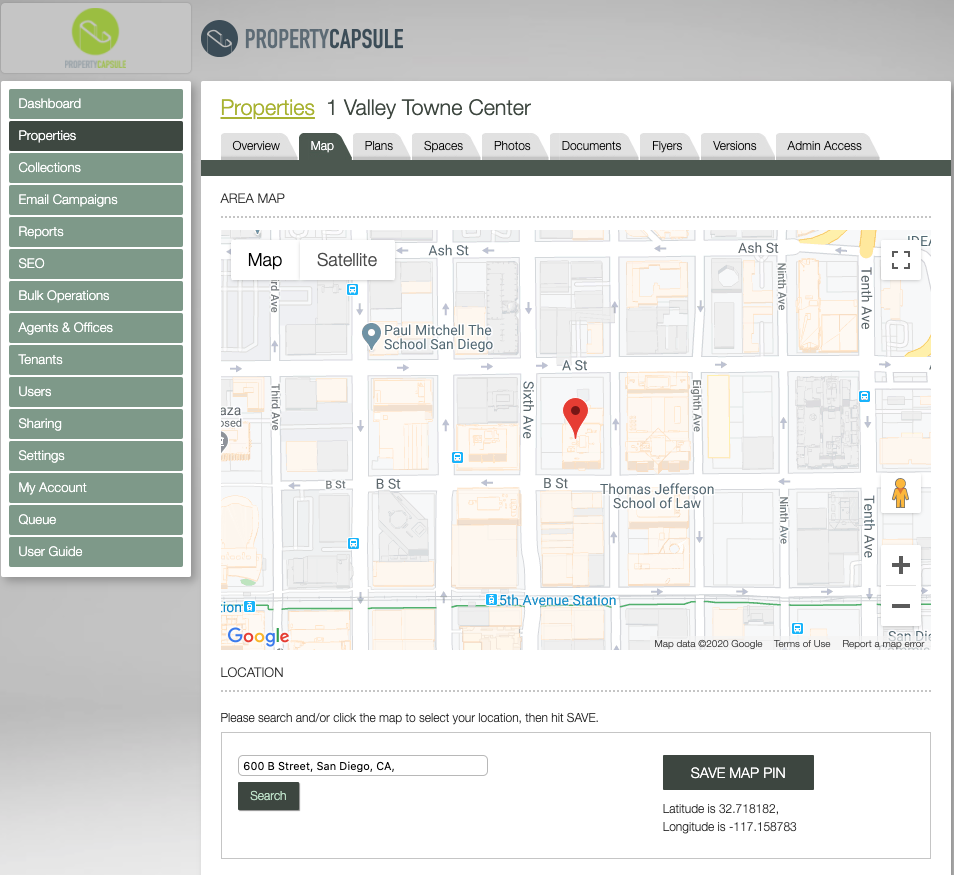
Here you are able to view the property pinned to the map and move it if needed.
The initial pin placement is automatic, based on the address entered. There is no need to change or save the pin if the pin drop is okay.
If the pin is not in the correct position, you can click anywhere on the map to reposition the pin.
Use the "Search" field at the bottom of the map to have the pin relocated based on the address you enter.
Once the pin is in the desired location, click 'SAVE MAP PIN' in the bottom right to save your changes.
Comments
0 comments
Please sign in to leave a comment.